

You update your plugins, but the same vulnerability keeps showing up in breach reports months later. Plugin vulnerability patching only works when every site applies the fix before attackers start scanning for it.
That gap is exactly what attackers count on. At WP Guard, we’ve traced active exploits back to WordPress vulnerabilities patched over two years before the attack. The fix existed, but it never reached the site still running the vulnerable version.
So in this article, we’re breaking down exactly why the same plugin vulnerabilities keep getting exploited long after a patch ships. We’ll also cover how attackers take advantage of that window, and what continuous monitoring catches that a one-time patch check never will.
Why Plugin Vulnerability Patching Doesn’t End When the Update Ships
Most people treat a plugin update like a closed case. The developer ships security fixes, and that still isn’t enough on its own.
Plugin vulnerability patching presents two separate problems:
When the Patch Clock Starts Ticking
The moment a vulnerability goes public, attackers start scanning. That window between disclosure and patch installation gives attackers time to exploit vulnerable sites, even when automatic updates are enabled.
Older plugin versions stay active on WordPress websites for weeks after a patch ships. Some site owners delay updates to avoid compatibility issues, while others rely on automatic updates that may not install patches immediately.
Why Most WordPress Sites Miss That Window
Site owners aren’t ignoring updates on purpose. A plugin installed across hundreds of pages takes time to test before anyone pushes a new version to a live site. Testing takes time, and that delay is what attackers work with.
The WordPress Plugin Ecosystem Makes This Problem Structural
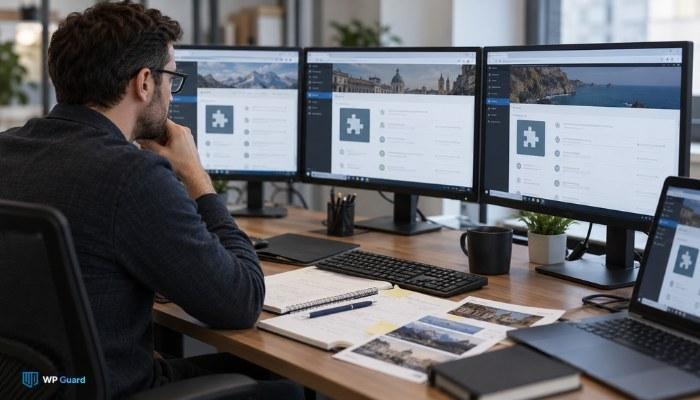
The WordPress plugin ecosystem almost guarantees coverage gaps on any active site. Over 59,000 WordPress plugins exist in the official repository, and a large portion haven’t seen a security update in over a year. The structural gap begins at this point.
Developers who build free plugins often move on once the plugin functions well enough. Users keep them installed, unaware that existing vulnerabilities may remain unpatched for years. Themes follow the same pattern. A WordPress plugin handling accounts or contact forms can expose your site to attacks for months without any visible sign.
For the most part, that leaves site owners working in the dark. Site owners may remain unaware of these risks, especially when they don’t use vulnerability scanners or regularly check plugin security advisories.
How Attackers Keep Exploiting Unpatched WordPress Sites
Most people assume old vulnerabilities stop being useful to attackers. Some CVEs (Common Vulnerabilities and Exposures) from 2021 are still being actively scanned for today. Attackers scan for plugin versions tied to known vulnerabilities, and successful exploitation can follow within hours of finding a match.
Once inside a compromised WordPress site, three things tend to happen.
- Data Theft and Log Access: Stored credentials are the first thing attackers go after. Log files, session tokens, and saved passwords all get pulled to access accounts across the site.
- Information Disclosure: Configuration files in vulnerable versions of plugins don’t always stay private. Exposing them hands over database credentials and internal site structure with no visible sign anything went wrong.
- Privilege Escalation: OWASP recorded 318,487 occurrences of access control weaknesses in its 2021 research. Attackers exploit these to move from a low-level entry point to full admin access on a WordPress site.
Each of these attacks can start with a single unpatched plugin version on a live WordPress site. Once attackers gain access, they can steal sensitive data, expose private files, or take control of administrator accounts.
The damage also depends on how long the weakness remains open and what permissions the affected plugin has. Even if the original flaw seems minor, attackers can use it to reach other parts of the site and cause further damage.
Why Cross-Site Scripting Vulnerabilities Keep Appearing in New Plugins
The faster you understand why XSS keeps reappearing, the easier it is to stop assuming a patch permanently closes the door. Cross-site scripting doesn’t belong to one plugin. It comes from a coding pattern that repeats across the WordPress ecosystem, and two reasons explain why it keeps showing up.
How Insecure Input Handling Creates XSS Flaws
XSS flaws happen when a plugin inserts untrusted user input into a web page without properly escaping it. Attackers can exploit this weakness to make browsers execute malicious JavaScript.
For example, a contact form plugin might display submitted names or messages without escaping HTML characters. An attacker could submit malicious JavaScript disguised as a normal message. If the plugin displays that content without protection, the script may run when someone opens the affected page.
Developers often reuse the same code templates, allowing insecure input handling to appear in multiple plugins. To prevent XSS, developers should validate incoming data and escape output using WordPress functions such as esc_html() and esc_attr(), depending on where the content appears.
Why a New Plugin Doesn’t Mean a New Risk
On top of that, new plugins carry the same risk. Malicious scripts can hide inside seemingly clean code, and security audits may miss them before developers release a plugin update.
The only real fix is catching the flaw before the plugin goes live, and most developers don’t have the security review process to do that consistently.
What Happens on a Single Site When a Plugin Goes Unpatched
One unpatched plugin on a single site gives attackers everything they need. Picture your WordPress site running one vulnerable plugin for three weeks. Automated vulnerability scanners pick up plugin version mismatches, flag them, and pass them along (and no, the scanner doesn’t care how small your site is).
From there, attackers often target the admin account first. Once inside, they can inject malware into your pages, redirect visitors to external websites, or steal stored data and login credentials.
Some attacks leave no obvious signs at first. By the time you notice unexpected page changes or a sudden traffic drop, attackers may have had access for days.
In fact, that’s how most compromises stay hidden. One vulnerable plugin creates real server-level risk, and that’s the part most site owners don’t catch until the damage is already done.
Single Site Owners Need Continuous Plugin Vulnerability Monitoring
New plugin vulnerabilities surface every week, and a WordPress site that looked secure on Monday can have an active exposure by Thursday. That gap doesn’t close on its own, and a one-time security check has no way of catching what gets disclosed after it runs.
Simply put, monitoring fills that gap. Continuous monitoring checks your plugins against newly disclosed vulnerabilities as they surface. It covers version gaps and users with access permissions they no longer need, before attackers find those gaps first.
With that in mind, here’s how WP Guard handles it. We monitor plugin vulnerabilities automatically across your site, so you don’t have to subscribe to security blogs or run manual checks to stay informed.
We fix version gaps, lock down exposed endpoints, enable backup coverage, and verify every patch your plugins need has gone live. If your WordPress site needs that level of coverage, that’s exactly what we’re built for.
Get More Update CONTENTORY