

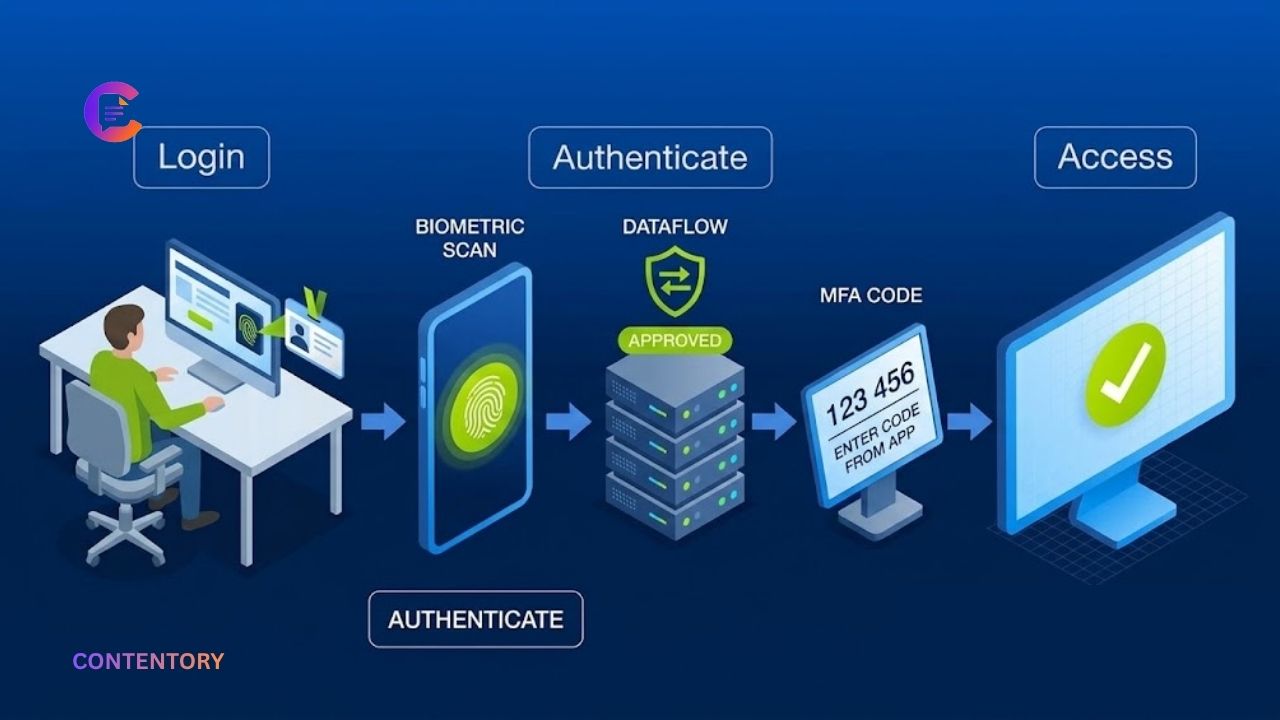
Online accounts hold some of our most valuable information, including personal messages, financial details, work documents, and private photographs. A stolen password can give criminals access to these resources. Two factor authentication adds another layer of protection by requiring users to verify their identity through a second method. This extra step can make unauthorized access more difficult, even when someone discovers a password. Understanding two factor authentication security helps users make better decisions about protecting their digital identities.
However, not every authentication method provides the same level of protection. Text message codes, authenticator apps, security keys, and passkeys work differently. Some methods also face risks from phishing, device theft, and social engineering. Choosing the right option requires understanding how each method works and where its limitations lie. This guide explains the essentials of two factor authentication security, including common threats, setup recommendations, and practical steps that help keep online accounts safer.
What Is Two Factor Authentication?
Two factor authentication, commonly called 2FA, requires two distinct types of evidence to verify a person’s identity during login. The first factor is often a password. The second might be a temporary code, a physical security key, or an authentication prompt on a trusted device. The system checks both factors before granting access. This approach reduces the risk associated with relying on a password alone.
Authentication factors generally fall into three categories: something you know, something you have, and something you are. A password represents something you know. A registered phone or hardware security key represents something you have. A fingerprint or facial scan represents something you are. For genuine two factor authentication, the system must combine two distinct factor types. Two passwords alone do not provide two-factor protection.
Why Two Factor Authentication Security Matters
Passwords can become exposed through phishing emails, data breaches, malware, password reuse, or guessing attacks. Criminals may use stolen credentials to attempt access to email accounts, social networks, shopping platforms, and banking services. If an account relies only on a password, a successful credential theft can be enough to compromise it.
Two factor authentication introduces an additional barrier. An attacker who knows the password may still need access to a registered device or another authentication factor. This can reduce the likelihood of account takeover, although it cannot eliminate every threat. The benefit is particularly important for email accounts, financial services, cloud storage, business systems, and accounts that can reset passwords for other services.
Explore Who Was Annaliese Witschak? Everything to Know About George Soros’ First Wife
Common Types of Two Factor Authentication
Different authentication methods offer different balances of convenience, recovery options, and security. The best choice depends on the service, the devices available, and the risks associated with the account.
SMS and Email Verification Codes
SMS authentication sends a temporary code to a registered mobile number. Users enter that code after supplying their password. This method is widely available and often easy to configure. However, attackers may exploit SIM-swapping scams, compromised phone accounts, or phishing websites to obtain verification codes. Email-based codes can also be exposed if someone has already compromised the user’s email account.
SMS verification generally offers more protection than using a password alone, but stronger options are preferable when available. Email codes should not be confused with a completely independent factor when the same email account also controls password recovery.
Authenticator Apps
Authenticator apps generate temporary verification codes on a registered device. Many apps continue generating codes without an active mobile connection. This reduces dependence on text-message delivery and can help users avoid certain phone-number attacks.
Nevertheless, authenticator codes can still be stolen through convincing phishing pages or social engineering. Users should never share a code with someone who contacts them unexpectedly. When a service supports phishing-resistant authentication, consider using it instead of manually entering temporary codes.
Hardware Security Keys
Hardware security keys are physical devices used to verify a login. Depending on the service and device, they connect through USB, NFC, or another supported connection. Standards such as FIDO2 and WebAuthn allow compatible security keys to provide strong protection against many phishing attacks.
These keys are especially useful for administrators, business accounts, and people who manage sensitive information. A key can be lost, damaged, or unavailable when needed, so users should check the service’s recovery options and consider registering a backup key.
Authentication Prompts and Passkeys
Authentication prompts ask users to approve or deny a sign-in attempt on a trusted device. They can be convenient, but repeated unexpected prompts may be an attempt to pressure someone into approving a fraudulent login. Never approve a request you did not initiate.
Passkeys offer a different approach by using cryptographic credentials linked to a website or service. They can use a device’s fingerprint reader, facial recognition, or screen lock to authorize access. Passkeys are designed to resist phishing because authentication is tied to the legitimate service rather than relying on a code that a fake website can collect. Google describes passkeys as a secure alternative to traditional passwords. Source: Google Passkeys.
Common Security Risks Users Should Understand
Two factor authentication significantly improves account protection, but attackers continue to develop methods that target users and their devices. Understanding these risks helps people avoid mistakes that could weaken their security.
Phishing and Fake Login Pages
A phishing website may imitate a legitimate sign-in page and request both a password and a verification code. An attacker can sometimes relay the information to the real service before the code expires. This explains why entering a temporary code does not guarantee protection against every phishing attempt.
To reduce this risk, access important accounts through official apps or trusted bookmarks. Check the website address carefully before signing in. Whenever possible, use passkeys or security keys that support phishing-resistant authentication. NIST’s digital identity guidance distinguishes these methods from manually entered one-time codes. Source: NIST Digital Identity Guidelines.
Stolen Devices and Account Recovery
A stolen phone may contain authenticator apps, active login sessions, and recovery information. A device protected by a strong screen lock provides an important additional safeguard. Users should enable remote device-locking features where available and revoke access if a device disappears.
Account recovery can also become a weak point. Attackers may try to exploit forgotten-password procedures, recovery email accounts, or customer support processes. Review recovery settings regularly and keep backup codes somewhere secure. Never store recovery codes in a public folder or an unprotected document.
Login Approval Fatigue
Some attackers repeatedly send login approval requests, hoping that a tired or distracted user will eventually accept one. This tactic is often called authentication fatigue. If unexpected prompts appear, deny them and change your password through the official service if you suspect someone has your credentials. Review recent account activity and revoke unfamiliar sessions.
How to Set Up Two Factor Authentication Safely
Most major online services provide authentication settings within account security or privacy menus. The exact steps vary, but the process usually follows a similar pattern.
- Open the official service. Visit the website directly or use its official application.
- Find security settings. Look for two-step verification, two factor authentication, passkeys, or sign-in methods.
- Choose an authentication method. Prefer a passkey or hardware security key when supported and appropriate. An authenticator app is another strong practical option.
- Complete the verification process. Follow the service’s instructions to register your device or key.
- Save backup codes securely. Keep recovery information separate from the device used for authentication.
- Test account recovery. Confirm that you understand how to regain access if your phone or security key becomes unavailable.
After setup, review the list of registered devices and authentication methods. Remove old devices that you no longer control. Do not disable two factor authentication simply because it adds a few seconds to the login process.
Best Practices for Stronger Account Protection
Good authentication habits help users get more value from their security settings. Start with your primary email account because it may control password resets for many other services. Protect financial accounts, social media profiles, cloud storage, and work accounts as well.
Use a unique, strong password for every important account and consider a reputable password manager. Turn on sign-in notifications where available. Never share verification codes with callers, messages, or people claiming to represent technical support. Be cautious of urgent requests to approve a login. Review account activity and remove unfamiliar sessions when the service provides that option.
For high-value accounts, consider registering two security keys or another supported backup method. Keep software updated and protect devices with screen locks. These steps work together: authentication is strongest when users combine it with secure passwords, careful browsing, and reliable recovery practices.
What Businesses Should Know About Two Factor Authentication
Businesses face additional risks because compromised employee accounts may expose customer records, internal systems, and company finances. Organizations should prioritize authentication for administrators, remote access, email, cloud platforms, and systems containing sensitive information. They should also establish clear policies for registering devices and reporting suspicious login activity.
Where practical, businesses should adopt phishing-resistant authentication, such as compatible security keys or passkeys. Staff training should explain how to recognize unexpected approval prompts and fraudulent support requests. IT teams should maintain procedures for lost devices, employee departures, and emergency account recovery. Authentication policies should reflect the sensitivity of the information being protected rather than applying identical requirements to every system.
The Future of Two Factor Authentication Security
Authentication technology continues to evolve as services seek stronger security with less friction for users. Passkeys are an important part of this shift because they can replace traditional passwords and reduce exposure to credential phishing. Hardware-backed credentials and modern authentication standards also help services verify users without depending entirely on manually entered codes.
Traditional two factor authentication remains valuable, particularly where passkeys or security keys are not yet available. The key is to choose the strongest practical method offered by each service and maintain secure recovery options. As technology changes, users should review account settings periodically and follow trusted security guidance instead of assuming one method will protect every situation indefinitely.
Conclusion
Two factor authentication security is an essential part of protecting online accounts. By requiring more than a password, it creates an additional barrier against stolen credentials and unauthorized access. However, its effectiveness depends on the method selected, the user’s habits, and the security of recovery procedures.
For stronger protection, prioritize passkeys or phishing-resistant security keys where possible. Authenticator apps are useful alternatives, while SMS codes can provide a basic additional layer when stronger options are unavailable. Combine authentication with unique passwords, secure devices, careful recovery planning, and awareness of phishing attempts. These practical habits can significantly improve your overall online security.
Frequently Asked Questions
Is two factor authentication completely secure?
No. It reduces the risk of account compromise but cannot prevent every attack. Phishing, stolen devices, malware, and weak recovery procedures may still expose accounts. Phishing-resistant methods offer stronger protection against fraudulent login pages.
Which two factor authentication method is safest?
Passkeys and compatible hardware security keys provide strong phishing resistance. Authenticator apps are also useful, while SMS codes face additional risks such as SIM swapping. The best available option depends on the service and your circumstances.
Can hackers bypass two factor authentication?
Yes, in some situations. Attackers may use phishing, session-cookie theft, social engineering, or compromised devices. Using phishing-resistant authentication and securing your devices can reduce these risks.
What happens if I lose my phone?
You may be able to sign in using backup codes, a registered security key, another trusted device, or the service’s account recovery process. Prepare recovery options before losing access to your phone.
Should I enable two factor authentication on every account?
Enable it wherever the service offers it, especially for email, banking, cloud storage, social media, and work accounts. Prioritize accounts that contain sensitive information or can reset passwords for other services.
Get More Update CONTENTORY